

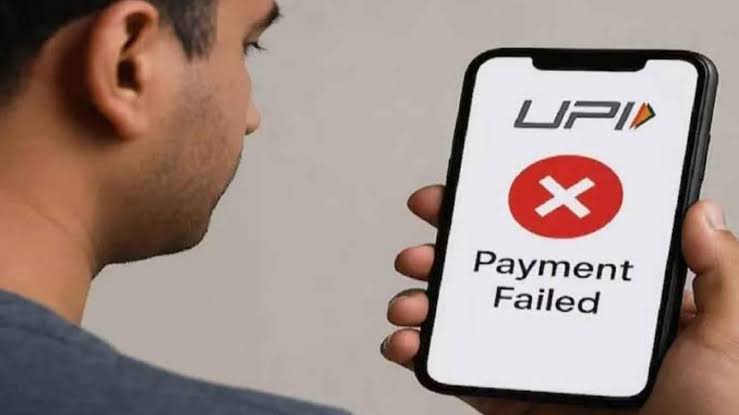
UPI payments are commonly used for shopping, transferring money, paying utility bills, and recharging mobile phones. Most transactions are completed within seconds, but sometimes a payment remains pending even after you enter your UPI PIN and receive a confirmation message.
A pending status can be confusing, particularly when money has been deducted from your bank account or the recipient is waiting for confirmation. The good news is that a pending transaction does not automatically mean your money is lost. Knowing how to check its status and follow the right steps can help you avoid duplicate payments and unnecessary stress.
Understand What A Pending UPI Payment Means
A pending UPI transaction generally means the payment has not reached a final confirmed status in the application. The bank or payment system may still be processing the request, or the transaction status may not have been updated yet.
There are several possible outcomes:
- The payment may eventually succeed.
- The transaction may fail and the amount may be reversed.
- The recipient may have received the money even though the status has not updated.
Because the outcome can vary, avoid assuming that the payment has failed simply because the screen continues to show pending.
Your First Steps When A Payment Gets Stuck
Before trying anything else, check the details of the original transaction.
Step 1: Open Your Transaction History
Open the application you used to make the payment and locate the transaction. Check the amount, date, recipient details, and current status.
Save the transaction reference number or UPI transaction ID. This information can help your bank or payment provider investigate the issue.
Step 2: Check Your Bank Account
Review your bank balance or account statement to determine whether the amount has been debited.
If no amount has been deducted, the transaction may not have completed. If money has been debited, keep the transaction details and wait for the status to update according to the bank’s guidance.
Step 3: Confirm With The Recipient
If you paid a shopkeeper, service provider, or another individual, ask them to check their bank account or transaction history.
Do not rely only on a notification or screenshot. The recipient’s actual account records are more useful for confirming whether the funds arrived.
Step 4: Avoid Repeating The Payment Immediately
The most important precaution is to avoid paying the same amount again while the original transaction remains unresolved.
If the first payment later succeeds, a second attempt could result in a duplicate payment. Wait until you understand the original transaction’s status before trying again.
Why UPI Payments Sometimes Remain Pending
A pending transaction can occur for several reasons, and not all of them are related to your phone or payment application.
Bank server delays: The sending or receiving bank may be experiencing temporary technical problems.
Network interruptions: An unstable internet connection can prevent the application from displaying the final status promptly.
Delayed confirmation: The payment may have been processed, but confirmation has not yet reached the application.
Recipient bank issues: The receiving bank may take additional time to confirm the credit.
Temporary security checks: A bank or payment provider may need to complete additional checks before updating the status.
Understanding the possible cause can help you decide whether to wait, contact support, or raise a dispute.
How Long Should You Wait?
The appropriate waiting period depends on the transaction type and the instructions provided by your bank or payment application. Some pending payments resolve quickly, while others require investigation.
Check the transaction details for an estimated resolution time. If the status does not change within the stated period, use the application’s support option or contact your bank.
For certain failed UPI fund transfers where the beneficiary account is not credited, the Reserve Bank of India’s failed-transaction framework generally specifies an automatic reversal by T+1 day, where T is the transaction date. For covered merchant payments where the account is debited but the merchant does not receive confirmation, the general timeline is T+5 days. Compensation may apply in eligible cases when these timelines are exceeded.
These timelines do not mean every pending transaction will be resolved in exactly the same way. The applicable process depends on the type and final status of the transaction. Consult your bank for guidance specific to your payment.
How To Raise A Complaint Through Your Payment App
If the transaction remains pending beyond the expected period, report the issue through the official support channel.
When using a upi payment app, follow these steps:
- Open your transaction history.
- Select the pending payment.
- Choose the available help or complaint option.
- Select the issue that best describes what happened.
- Provide the transaction reference and other requested details.
- Save the complaint or ticket number for follow-up.
The exact steps vary between applications. If you cannot find a suitable option, contact the bank that holds your account and ask it to investigate the transaction.
Provide only the information needed to identify the payment. Never share your UPI PIN, banking password, or OTP with someone claiming to resolve the pending transaction.
What If The Money Was Deducted?
A debit from your bank account does not necessarily mean the recipient has received the funds. The transaction may still be awaiting confirmation or may ultimately be reversed.
If the amount was deducted:
- Record the transaction ID and amount.
- Check whether the recipient received the payment.
- Monitor the status through the official application.
- Follow the bank’s stated reversal or dispute process.
- Contact the bank if the expected resolution period has passed.
If the payment is confirmed as failed, check your account for the reversal. If it is confirmed as successful, verify the recipient and avoid submitting another payment for the same expense.
If the amount is not returned within the applicable timeframe, ask your bank about the complaint process and any compensation rules that may apply.
Handling Pending Merchant Payments And Bills
Pending transactions can be particularly inconvenient when paying for groceries, electricity, mobile recharges, or other time-sensitive services.
Before making another online payment, check whether the merchant or biller has recorded the first transaction. Some services may update their records later than the bank or payment application.
For a utility bill or mobile recharge, review the service provider’s payment history as well as the transaction status in your bank application. If the payment remains unresolved, contact the relevant provider and share the reference number through its official support process.
For a purchase at a physical shop, explain that the transaction is pending and verify the payment status before paying again. Keep receipts or other records until the issue is settled.
Protect Yourself From Payment-Related Scams
Scammers may contact users who are waiting for a refund or transaction confirmation. They may pretend to be bank employees or support agents and offer to release the money.
Remember these precautions:
- Never share your UPI PIN or OTP.
- Do not scan a QR code or approve a collect request to receive a refund.
- Avoid installing remote-access software at an unknown caller’s request.
- Do not pay an unofficial fee to reverse a transaction.
- Contact your bank using independently verified details.
Build A Better Routine For Future Payments
Although not every pending transaction can be prevented, a few habits can make payment problems easier to manage.
- Keep your payment application updated.
- Use a stable internet connection.
- Verify the recipient and amount before confirming.
- Save transaction references for important payments.
- Check your bank account before repeating an unresolved payment.
- Make time-sensitive payments before the last possible moment.
These practices are especially useful for recurring bills, where a delay could lead to a missed due date or a service interruption.
Conclusion
When a UPI payment remains pending, first check the transaction history, verify whether money was deducted, and confirm the status with the recipient. Avoid repeating the payment until the original transaction is clear.
If the issue continues beyond the expected resolution period, raise a complaint through the payment application or your bank and retain the transaction reference. Staying calm, keeping records, and using official support channels can help you resolve the problem safely.
FAQs
1. Does a pending UPI payment mean the transaction failed?
No. A pending status means the final outcome has not been confirmed. The payment may succeed, fail, or require further investigation.
2. What should I do if money is deducted but the payment is pending?
Save the transaction reference, check with the recipient, and monitor the status. Contact your bank if the issue remains unresolved within the applicable timeframe.
3. Should I make the payment again if it is pending?
Not immediately. Check the original transaction first to reduce the risk of paying twice.
4. How can I complain about a pending UPI transaction?
Use the help option associated with the transaction in your payment application or contact your bank through its official support channel.
5. Can I share my UPI PIN with customer support to get a refund?
No. Your UPI PIN is confidential and should never be shared to receive a refund or resolve a pending payment.














Leave a Reply